Sign in seconds
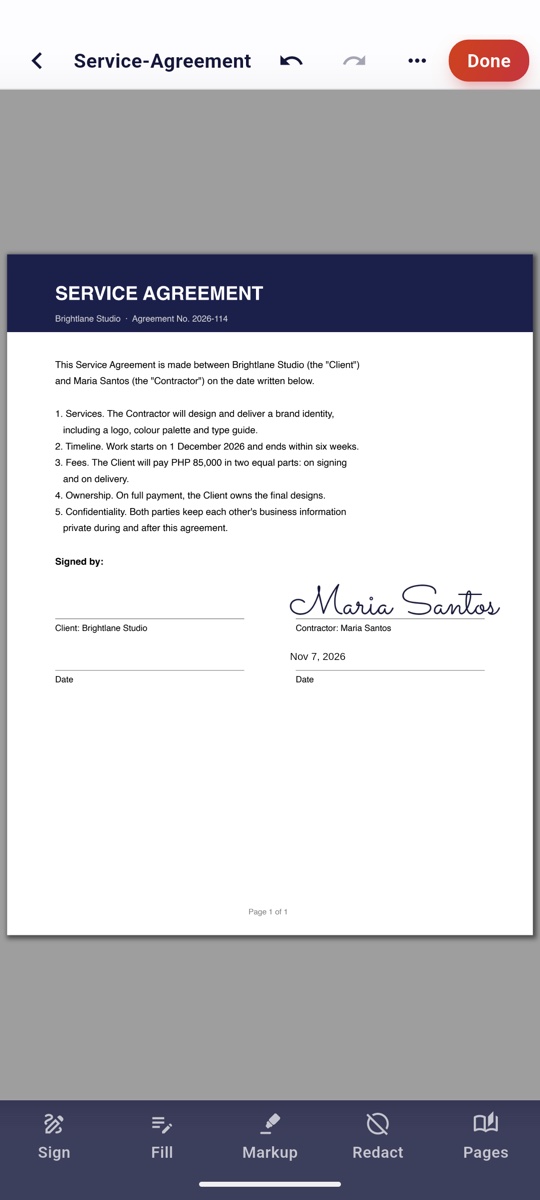
Draw, type or photograph your signature once. Place it, your initials and today's date with a tap, or on every page at once.
Sign contracts, fill in forms, scan IDs and black out what others shouldn't see. SmartFill does it all on your phone, offline, with no account.
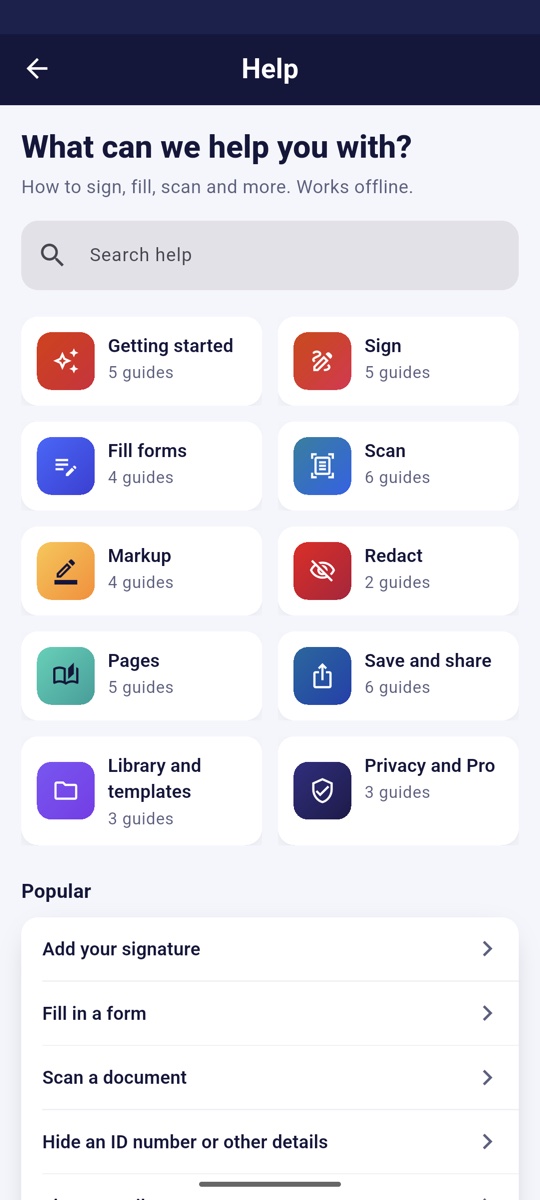
From a lease to a leave form, SmartFill has the tool, and Help shows you how.
Draw, type or photograph your signature once. Place it, your initials and today's date with a tap, or on every page at once.
Type into a PDF's own fields, or anywhere on a scan. Save your details once and fill forms from your profile.PRO
Clean, cropped pages from your camera. ID cards come out front and back on one page; books split into pages.
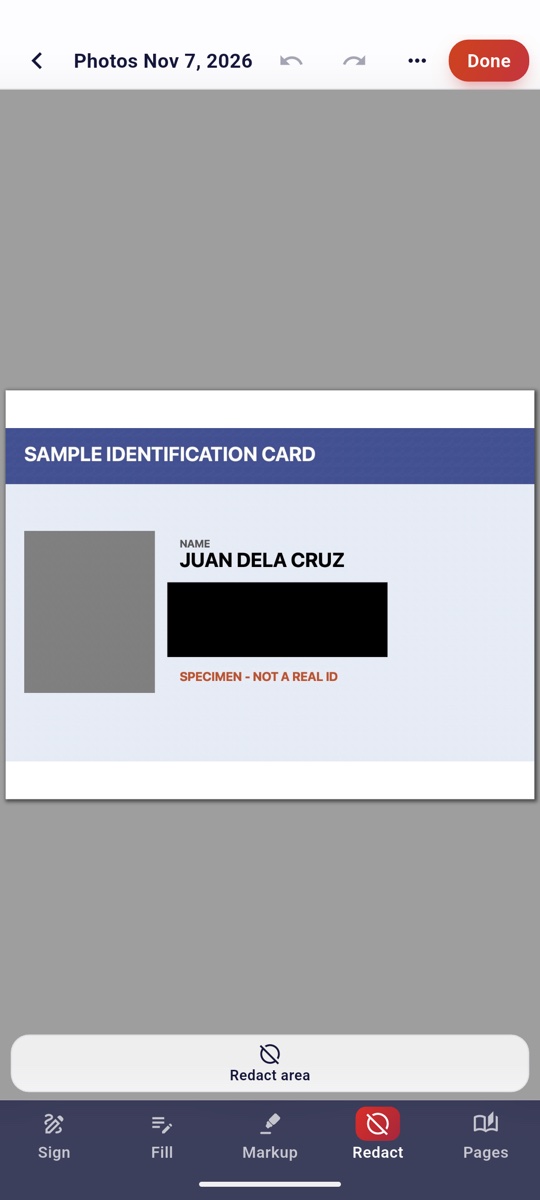
Black out an ID number or an account number and it's removed from the file, text and image alike. Not just covered.
Highlight in five colours, add notes and images, or tidy a mistake with whiteout.
Reorder, rotate, insert, split out or merge documents. Add page numbers, headers and footers.
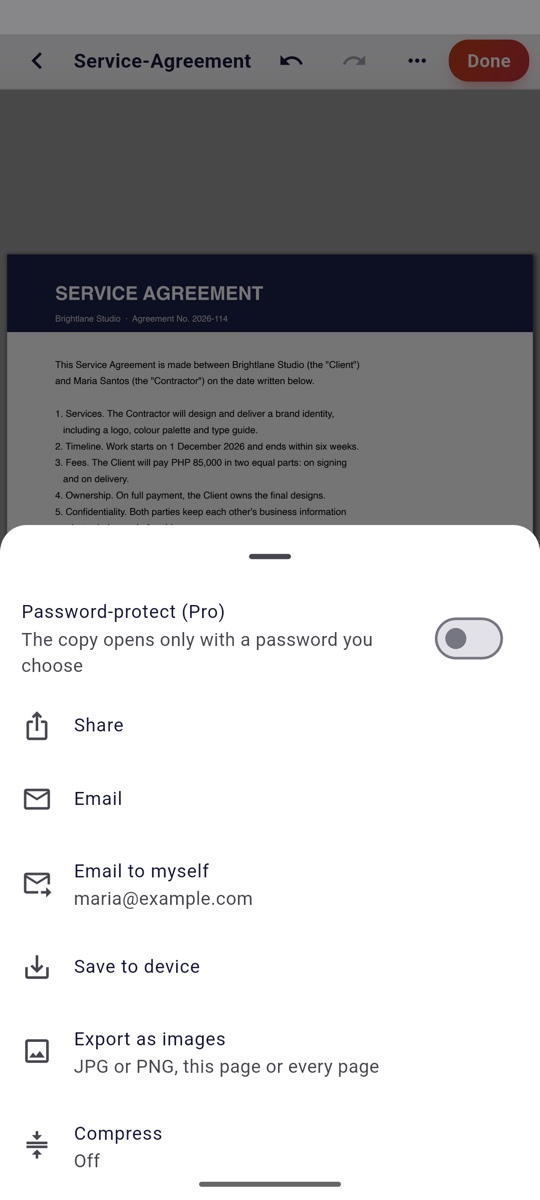
Share, email, email yourself or save to your phone. Compress for upload limits, save pages as images, or lock it with a password.PRO
Save a form you fill every month. Next time your details, today's date and your signature go straight back in.
Forty-plus short how-tos, searchable, right in the app. Tap "Try it" to jump straight to the tool.
Open the contract, tap where to sign, done. SmartFill keeps your signature on your phone, ready for the next one.
Draw a box, tap Apply. What's under it is deleted from the PDF, including from photos and scans, and SmartFill checks the result before it lets the change stand.
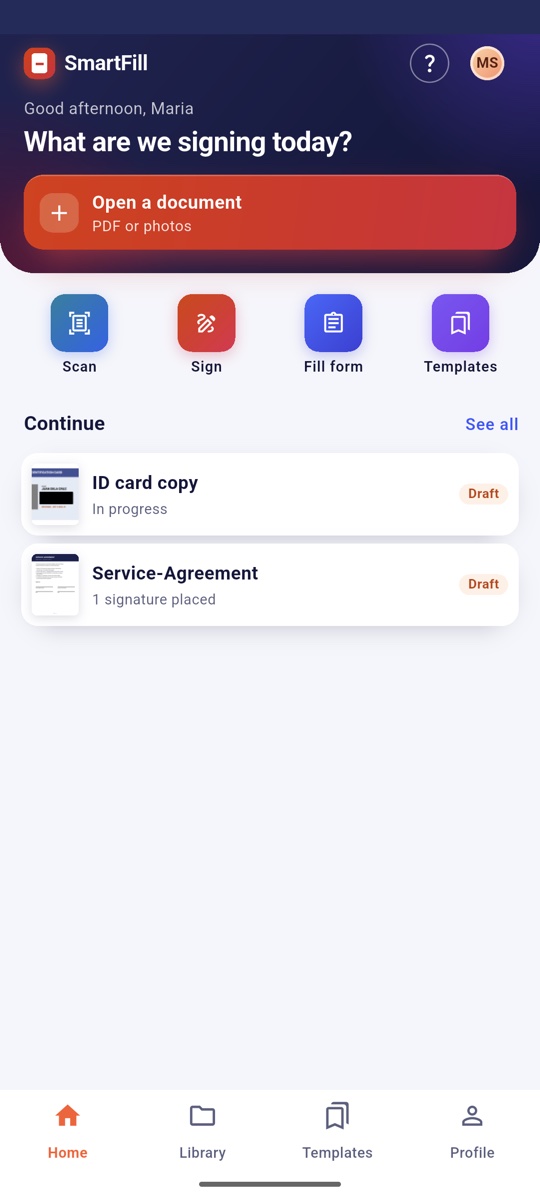
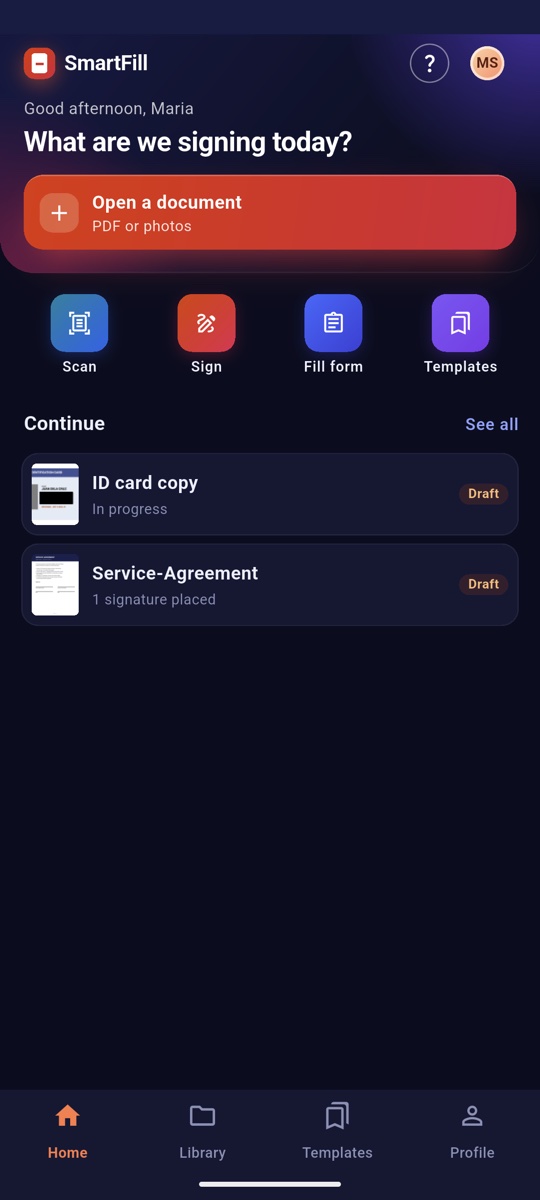
A clean, fast home screen that picks up where you left off, in the theme your phone already uses. Documents always show on white paper.
SmartFill makes no network calls and needs no account. Your documents, scans, signature and details stay in the app on your phone. Sharing goes through your own apps, only when you choose.
Nothing to sign up for, no password to remember.
We make no network calls, so your files never reach a server of ours.
No analytics, no ads, no crash reporting.
"Delete all my data" removes everything SmartFill stored.
Optional features we're building now. Each one will say exactly what it sends before you turn it on.
Say what you need, like "SSS loan form" or "BIR 1902". SmartFill finds the official form, knows where each field is, and fills it from your profile.
Send a document to the people who need to sign it, see who has signed, and get the finished copy back automatically.
Pick up on your tablet where you left off on your phone, end-to-end encrypted so only your devices can read it.
Signing, filling, scanning, redacting and sharing are free. Prices are shown in the app, in your local currency.
Yes. Signing, filling, scanning, redacting and exporting all happen on your phone, and the app makes no network calls. Buying or restoring Pro goes through the App Store or Google Play, which need a connection.
In SmartFill's private storage on your phone, with backups off. When you share or save a copy, it goes only where you send it.
Yes. When you apply a redaction, the text and image under the box are deleted from the file, and SmartFill checks the result. Want to keep the original? Duplicate it in your Library first.
Signing, filling, scanning, redacting, markup, page tools, sharing and 3 templates are free. Pro adds profile autofill, unlimited templates, Word and Excel conversion, searchable scans, passwords and watermarks.
iPhone and Android phones. Tablets work too.
SmartTools Technologies Inc., a Philippine software company. Questions? Write to sales@smarttools.systems.
SmartFill is coming to the App Store and Google Play.